For iPhone and iPad

Your school year.Finally in one place.

Timetable, lesson planning, to-dos and grades in one calm, clear app.

Download on the App Store Start free · no account
QR code for the App StoreScan with your iPhone
to get Kreidezeit.
Discover more

Less paper.More clarity.

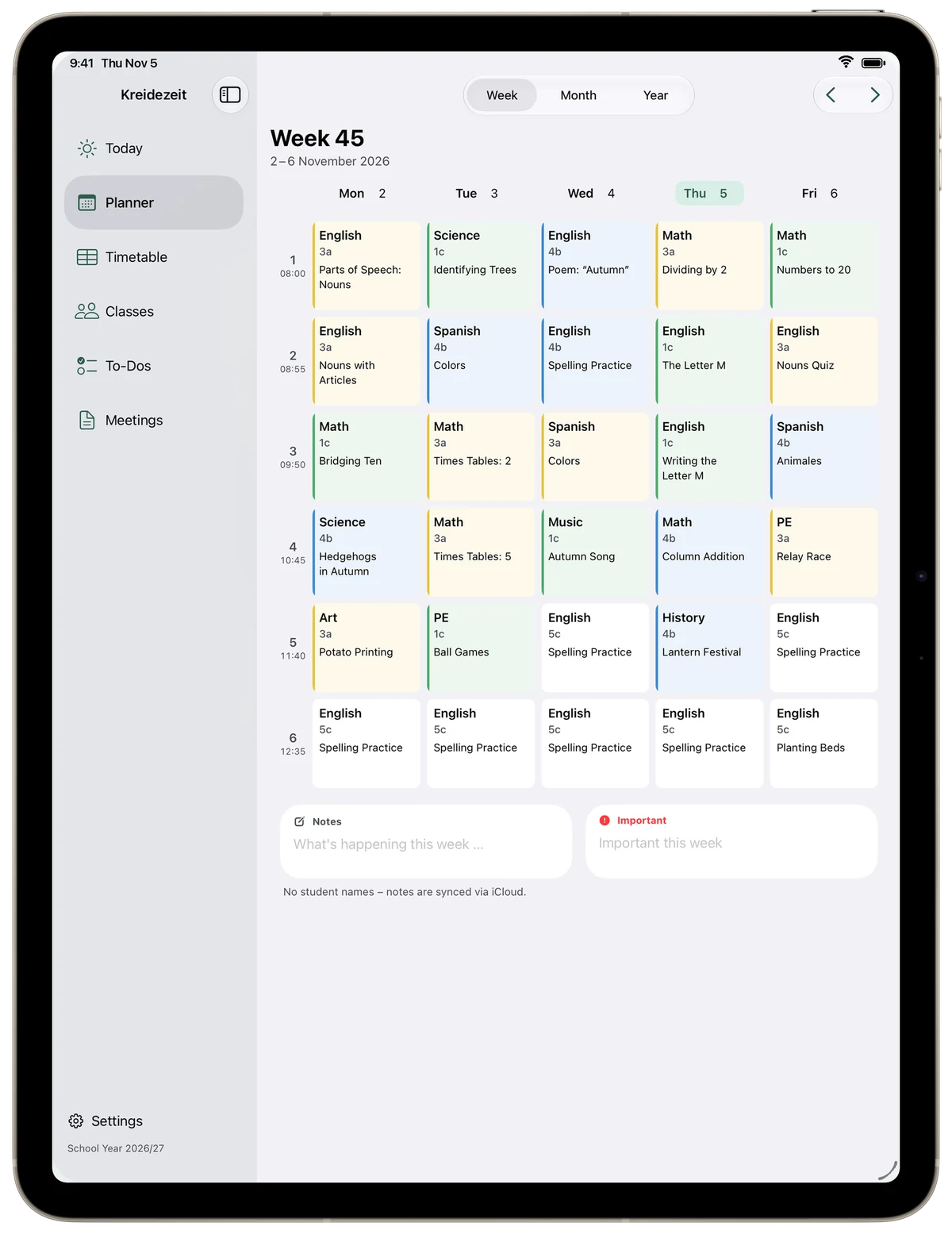
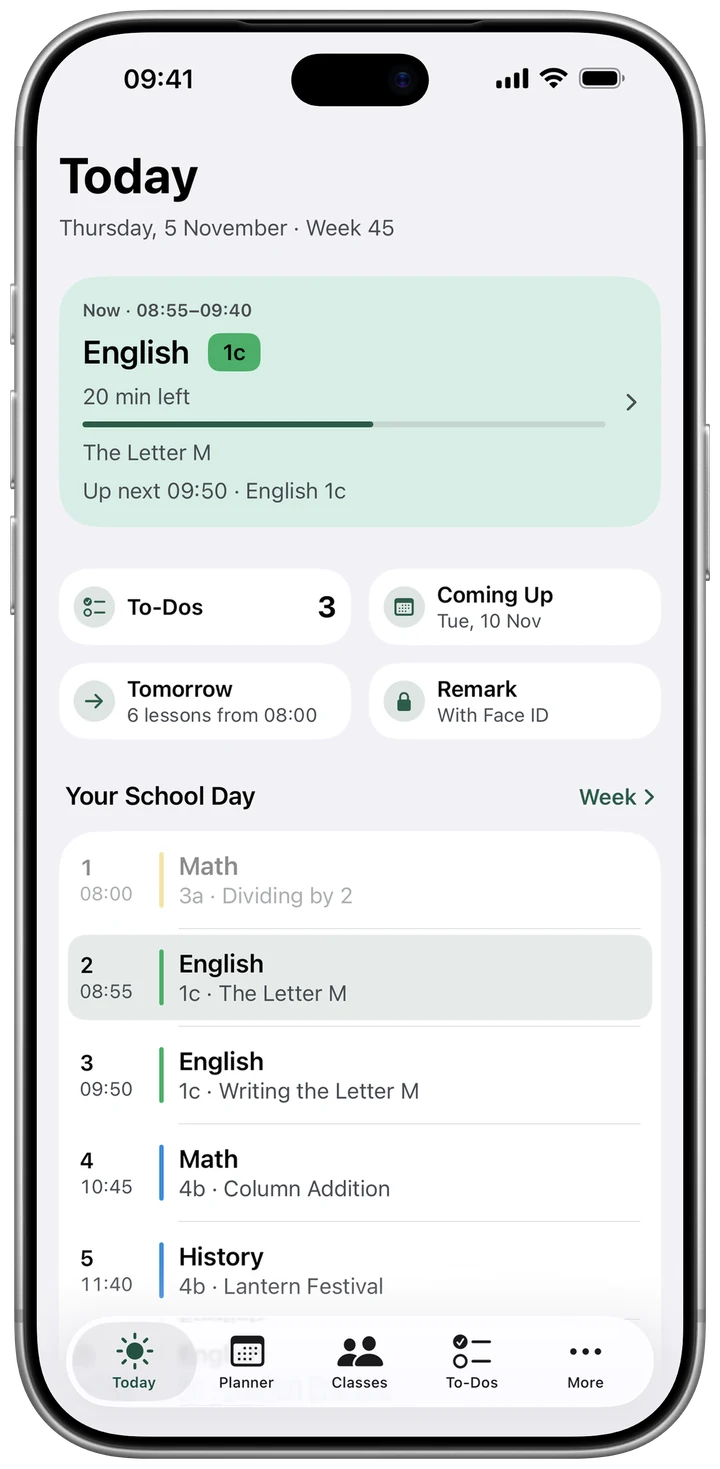
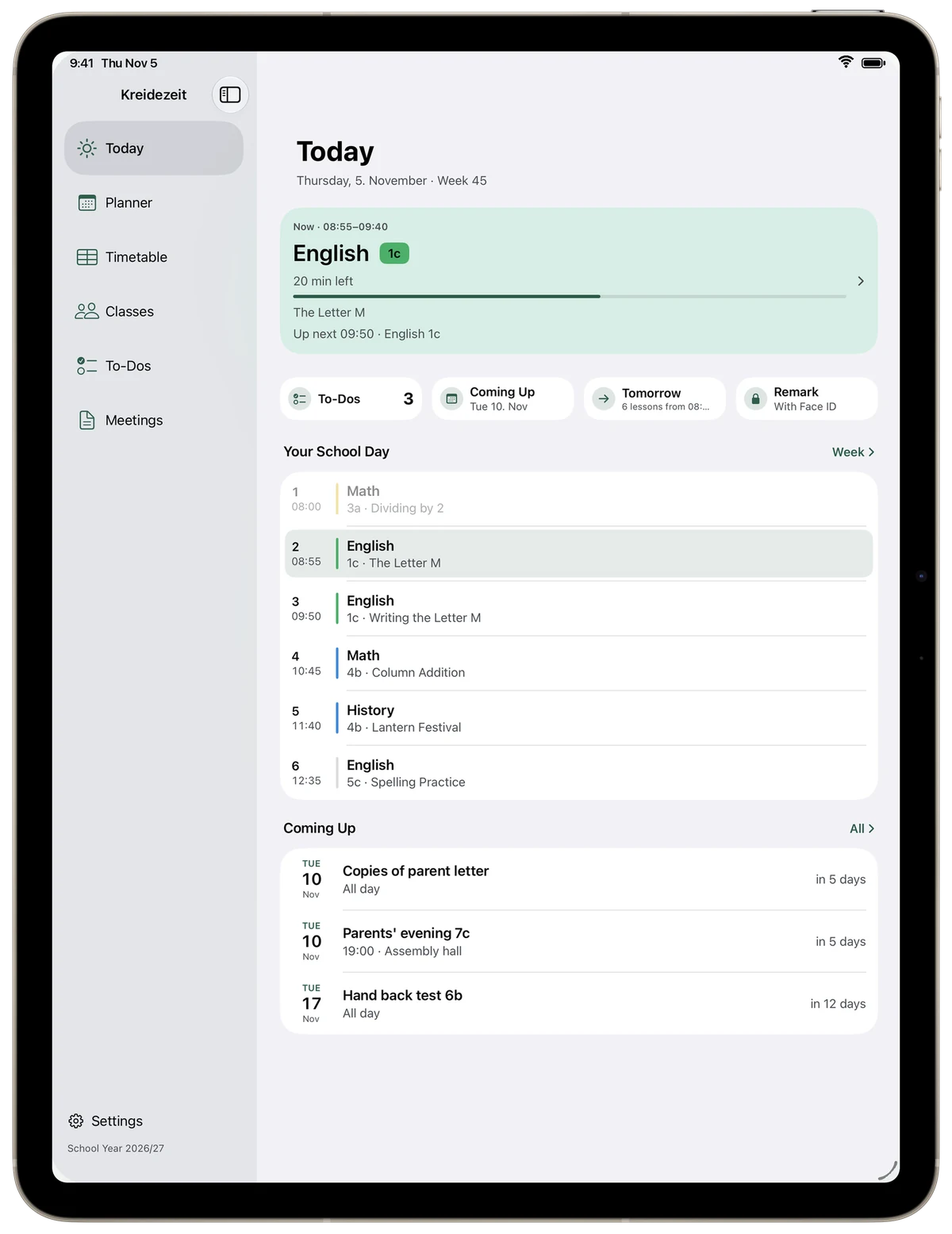
Week view on iPadToday view on iPhone

Less paper.More clarity.

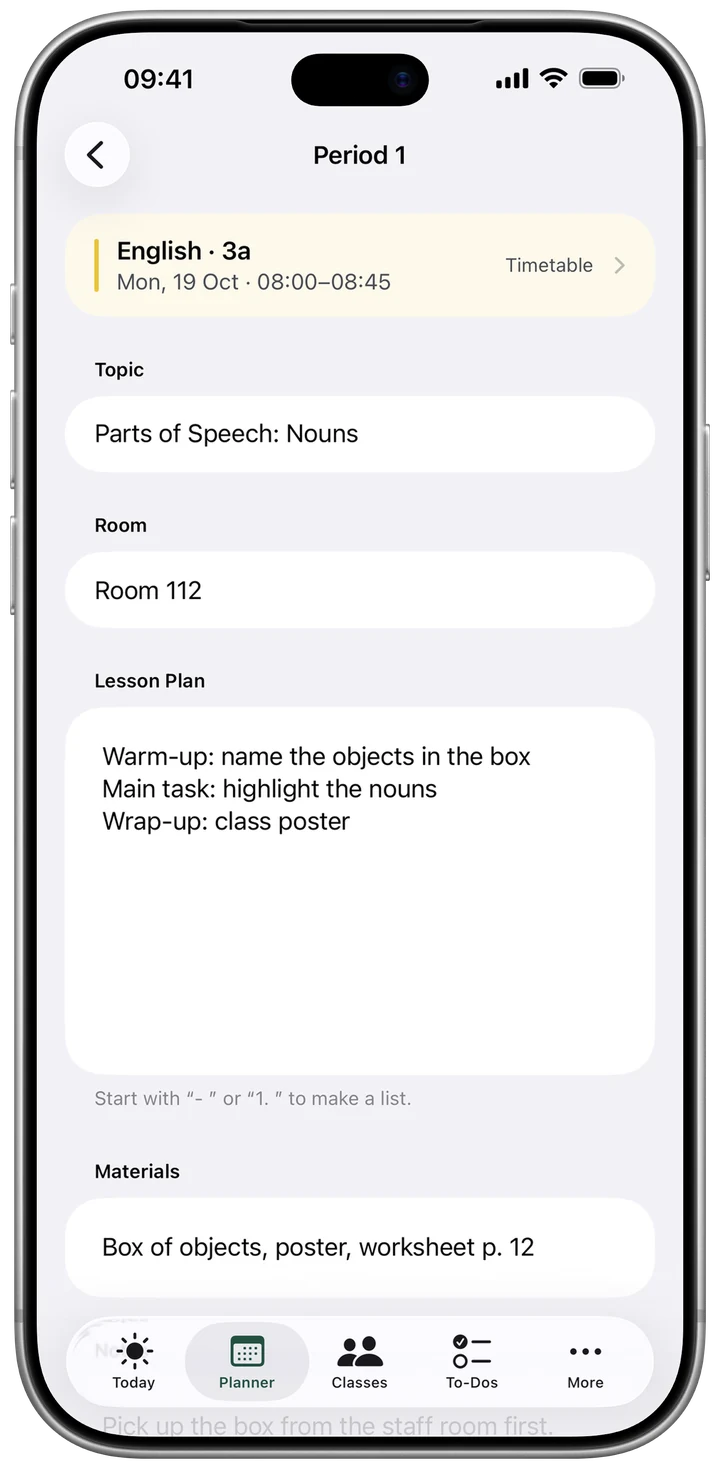
Every lesson.Well prepared.

Plan lesson

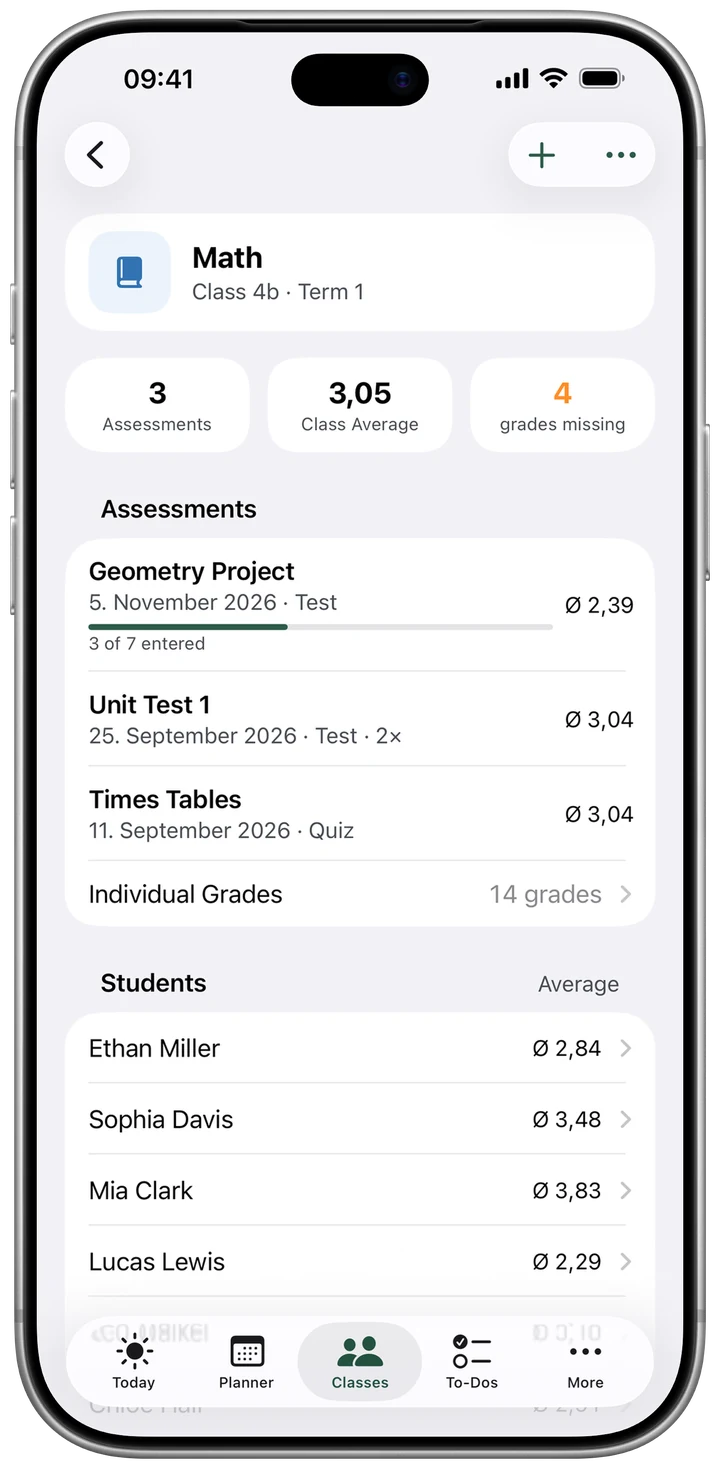
No spreadsheets.Averages done for you.

Grades

Student data stayswith you.

Only on your device. Protected with Face ID.
On device only Encrypted backup No tracking
More about privacy ›

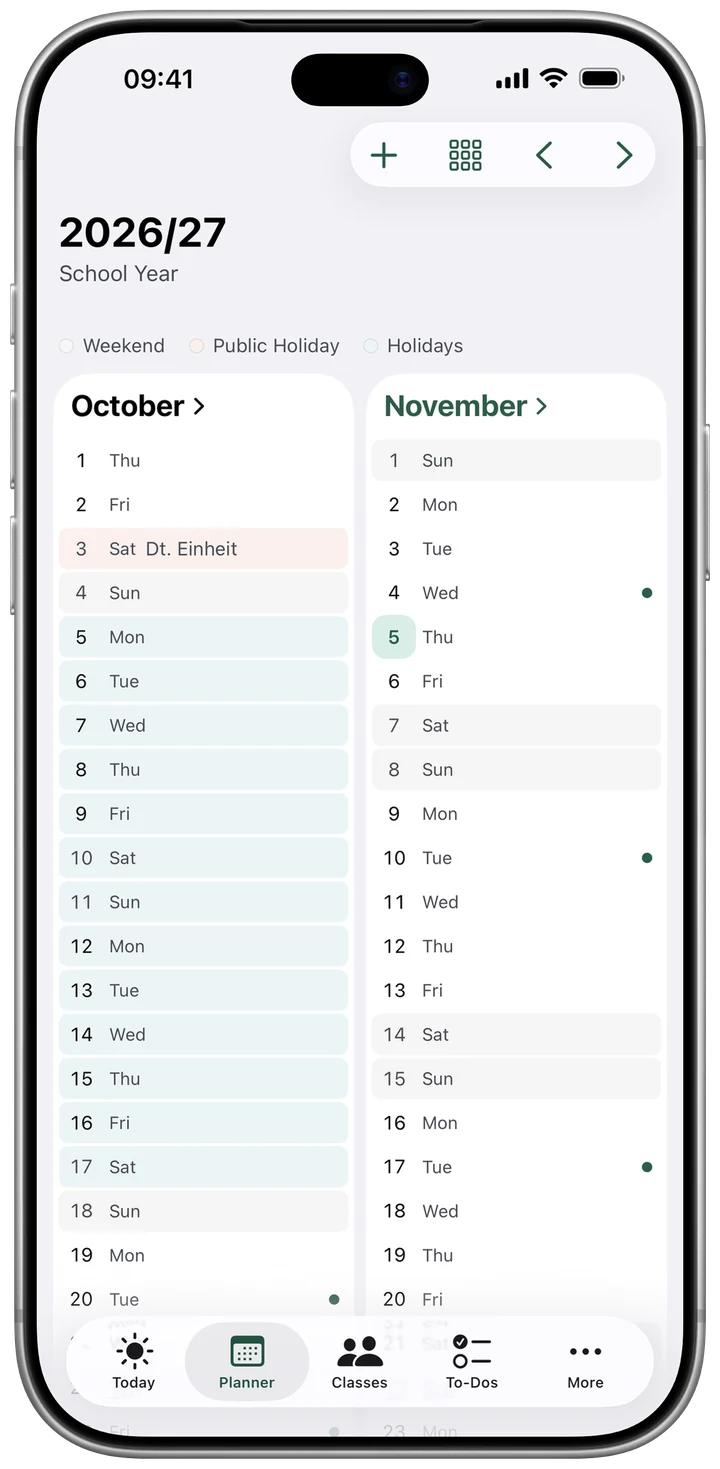
Day, week, month, year.Holidays included.

Year view

On iPad, too.With room to spare.

Today view on iPad
✓ Average calculated
2.43
Ø Math · Term 1, with your weighting
DayWeekMonthYear
4
Views for your planner
DeutschEnglish
2
Languages

Printand PDF.

Thought through.Down to the detail.

×Schuljahr 2027/28
KlassenSchritt 1 von 3
1aHochstufen auf 2a
3bHochstufen auf 4b
Die Farbe bleibt beim Hochstufen erhalten.
Weiter

New school yearin minutes.

×Schüler importieren
Aus Zwischenablage einfügen
Aus Datei importieren
Excel (.xlsx), CSV oder Text. Vorhandene werden erkannt und nur ergänzt.
Vorlage teilen

Importyour class list.

J Justus Klasse 1a · Schuljahr 2026/27
AnrufenNachrichtBemerkung
DeutschKunstMatheAlle
Deutsch1. Halbjahr3,50 ›
Kunst1. Halbjahr– ›
Mathe1. Halbjahr– ›

Every studenton one page.

Start free.Go full when you want.

€24.99one-time

Buy once, keep it forever.
Or €4.99 a month, first week free.

Get Kreidezeit

Prices for Germany; other countries may differ. One purchase works on iPhone and iPad with your Apple Account.

The full version adds

  • Unlimited planning ahead
  • Unlimited classes and groups
  • New events with time and place
  • Attachments on every lesson
  • Import class lists
  • Print and PDF
Always free

Timetable in every view, planning through the end of next week, to-dos, one class with grades, plus backup and transfer. Your data is never locked.

For schools and departments

Kreidezeit for a whole teaching staff? Tell us what you need.

Send a request

Questions?Answers.

Do I need an account?

No. Download the app and get started. There is no account and no sign-in.

Does Kreidezeit run on iPhone and iPad?

Yes. Planner, timetable and to-dos sync between your devices through your iCloud. One purchase works on all devices with your Apple Account.

Why aren’t my class lists on my iPad?

That’s by design. Student data stays only on the device where you enter it. Use “Transfer” in Settings to move it to another device.

What happens when my subscription ends?

Everything stays. You can still view, edit and back up all of it. Only new items beyond the free limits are no longer possible.

May I store student data on my personal device?

Rules differ by region and school. You usually need permission from your school leadership. It’s best to ask there.

How do I reach support?

By email to support@kreidezeit.app, or right in the app under Settings → Send Feedback.

Help for every feature.And answers by email.

Searchable guides for everything in the app. If something’s missing, support helps by email, right from the app under Settings › Send Feedback.

More timefor teaching.